Browser notifications
Short alerts on the screens of people who allow them on your website.
- By SplashSend
- Free on every plan
- Works with Shopify, WooCommerce and your own site
Once you're in, you'll find it in Apps in SplashSend.
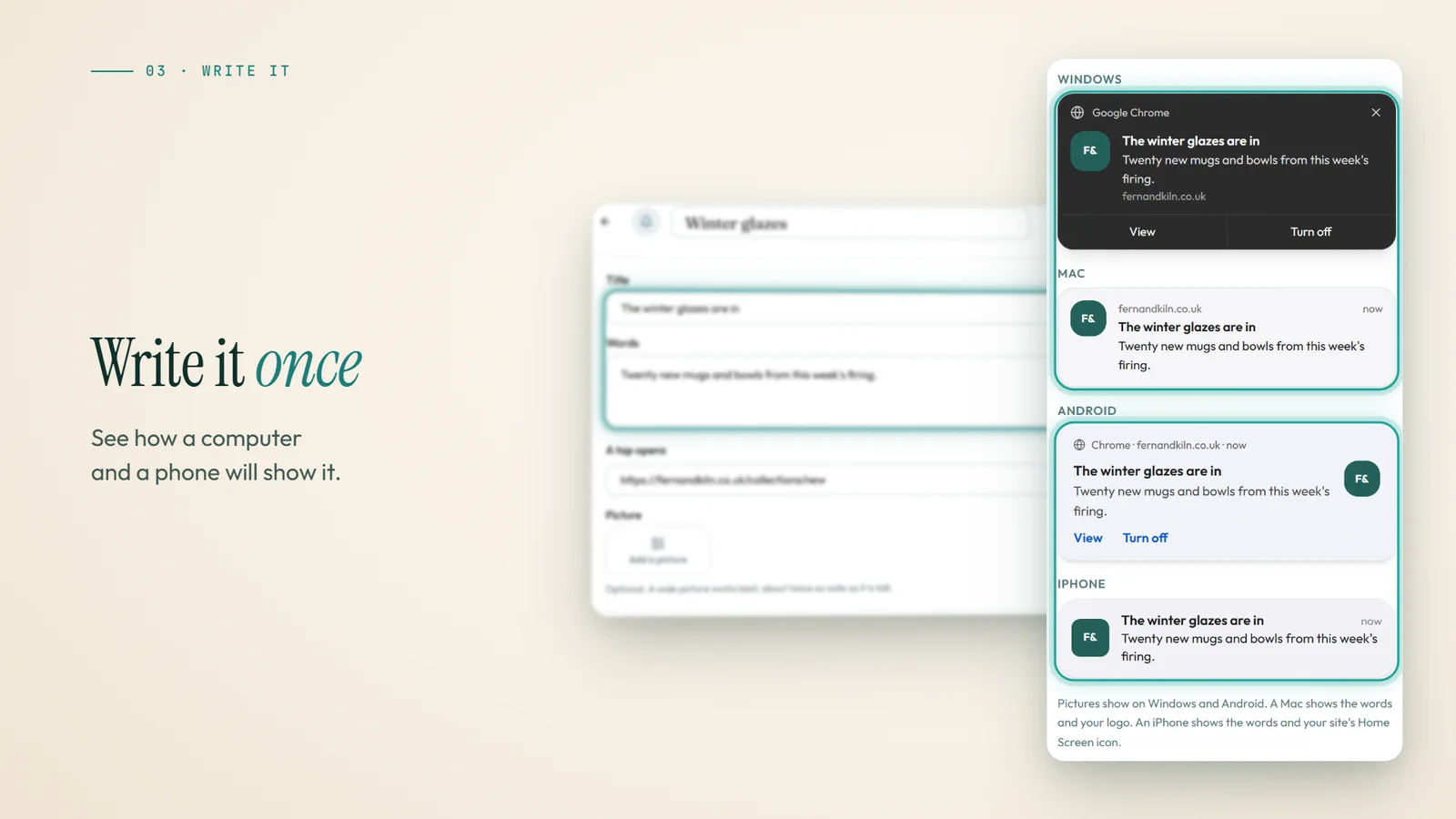 VideoHow Browser notifications work
 On every planOn Free, each one counts as a send
 Works with your shopShopify, WooCommerce and your own site
 Computers and phonesAnd iPhones, from the Home Screen
What it does
Your ask, in your words
A small card on your site asks first, and the browser's own prompt only shows after a yes.
Sent like your emails
Send one now, schedule it or spread it out from Send, under Notifications, or add a notification step to a drip.
One a day at most
Each browser gets one campaign notification a day at most, and none between 9pm and 8am where it is.
Shops
Works with your shop

Shopify
One switch in your theme's App embeds, with no code to add.
WooCommerce
A tick box in the SplashSend plugin.
Your own site
One small file to upload to your site.
What it adds to your site
- A small ask on your site, after a visitor's second page or a basket add
- On Shopify, one switch in your theme's App embeds, with no code to add
- On WooCommerce, a tick box in the SplashSend plugin, and on other sites one small file to upload
Questions
Which browsers show them?
Chrome, Edge, Firefox and Safari on computers, and Android phones. iPhones and iPads show them once someone adds your site to their Home Screen.
How often can I send them?
Each browser gets one campaign notification a day at most, and none between 9pm and 8am where it is.
What do they cost?
They come with every plan. On Free, each notification counts as one of your 500 sends a month.